Importing Product Reviews from Amazon
Last updated on March 31, 2026
You can import reviews from Amazon using a CSV file.
Vitals does not connect directly to Amazon. Instead, you’ll export reviews using a Chrome extension and upload them into Vitals.
Step 1: Export reviews from Amazon
- Install the Chrome extension: Amazon Reviews Extractor
- Open the Amazon product page you want to import reviews from
- Use the extension to extract reviews
- Export the file as a CSV
Step 2: Upload reviews to Vitals
Go to Product Reviews → Import
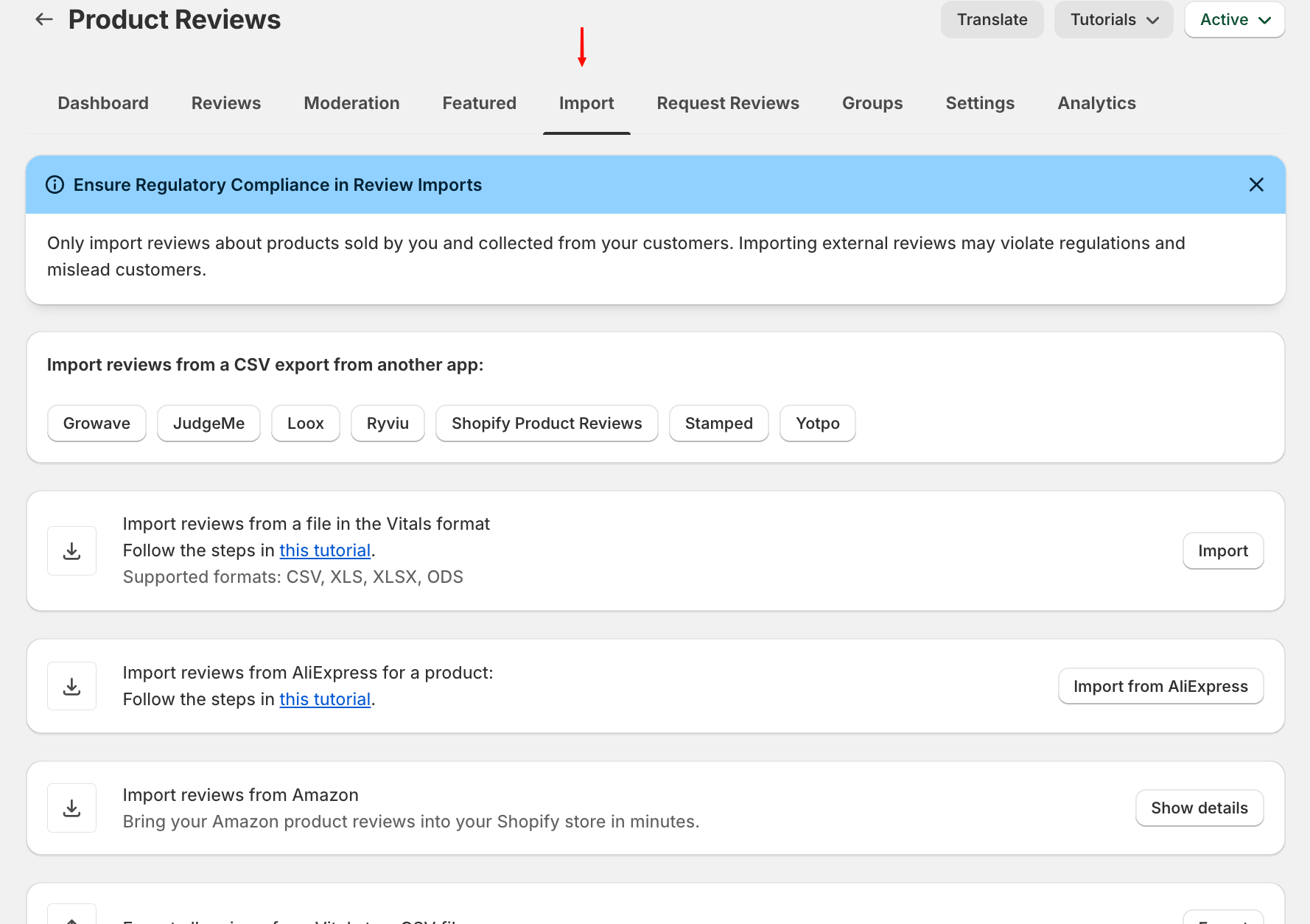
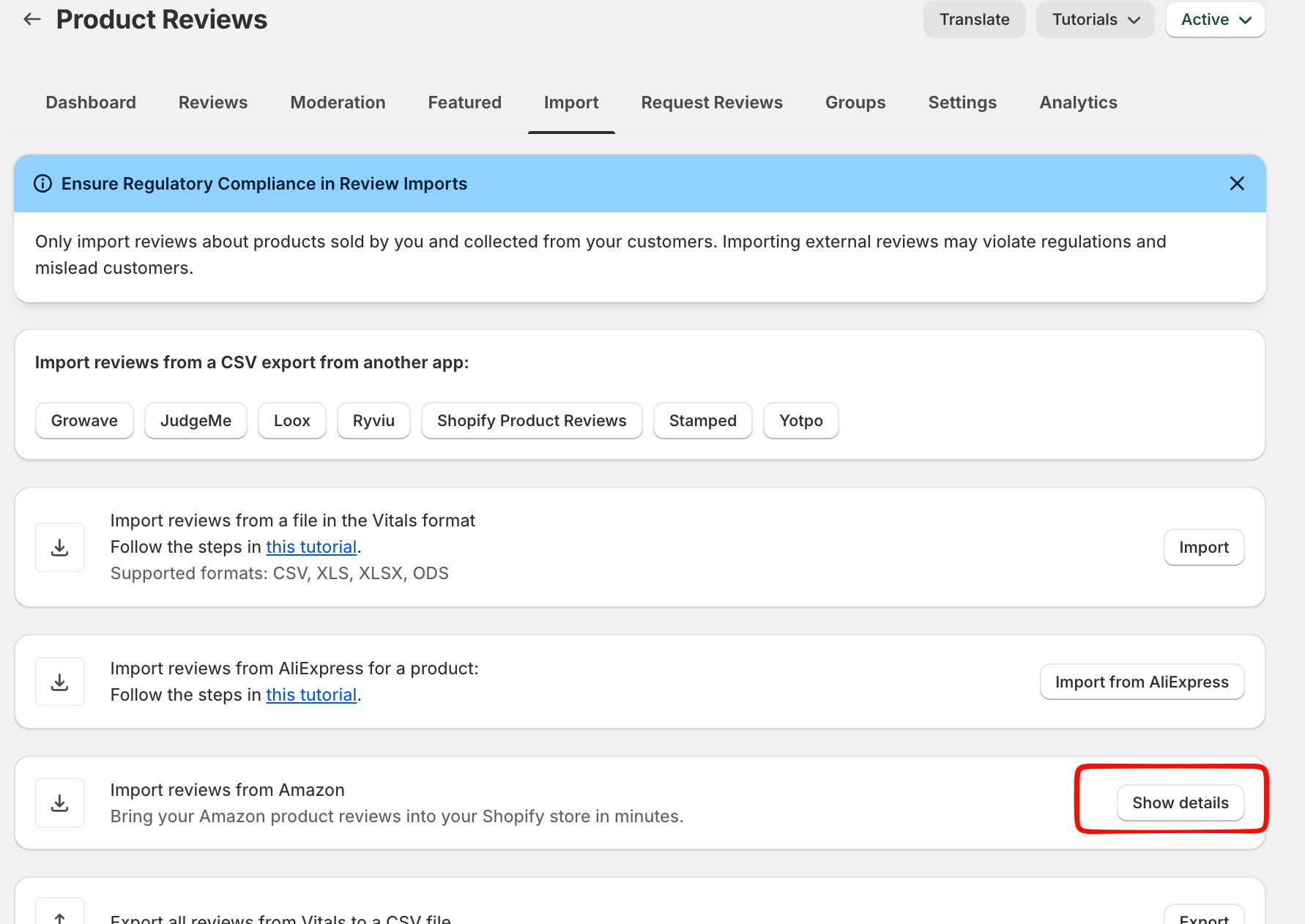
Select Show Details in Import reviews from Amazon section > Import from Amazon :
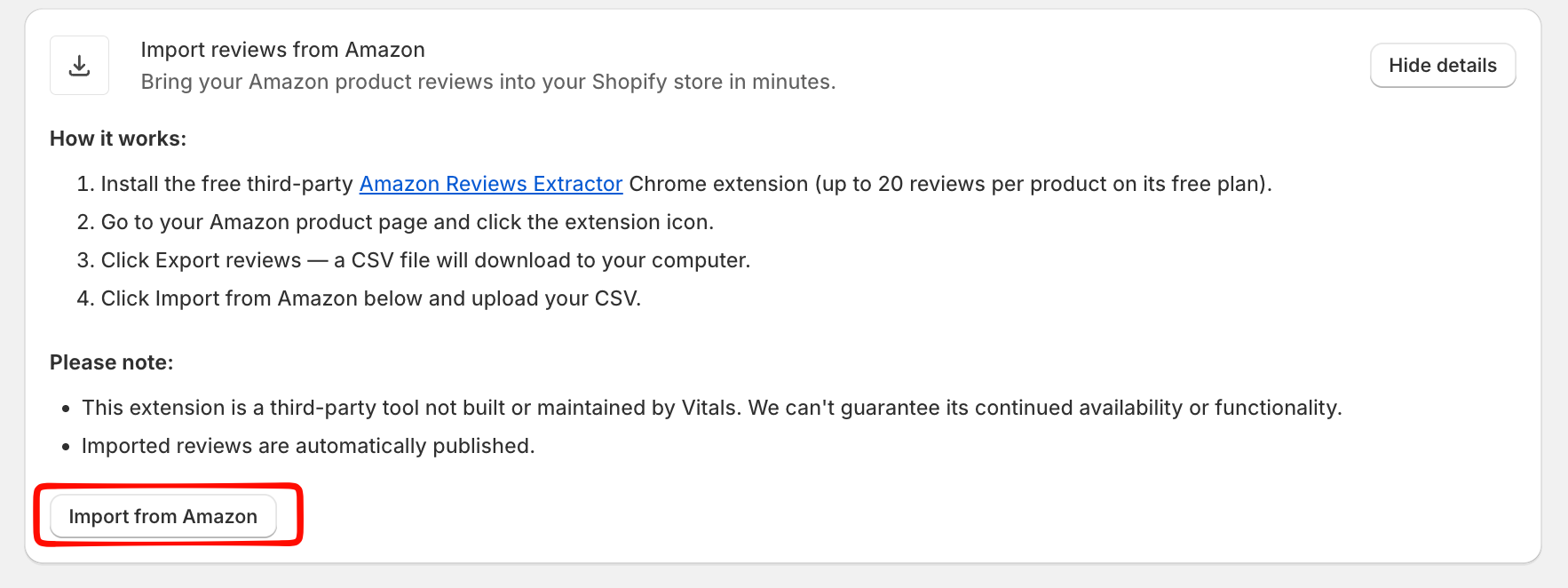
- Select the product where you would like the Amazon reviews to be mapped to.
- Upload your CSV file
Once completed and the file is correct, the reviews will appear in the product.