Exporting your reviews
Last updated on October 10, 2024
You can save a backup copy of your reviews to download it by going to the Import Tab of the Product Reviews app, then exporting your reviews using the Export button.
Steps:
- Go to the Product Reviews app in your Vitals dashboard.
- Select the Import tab.
- Look for the Export button.
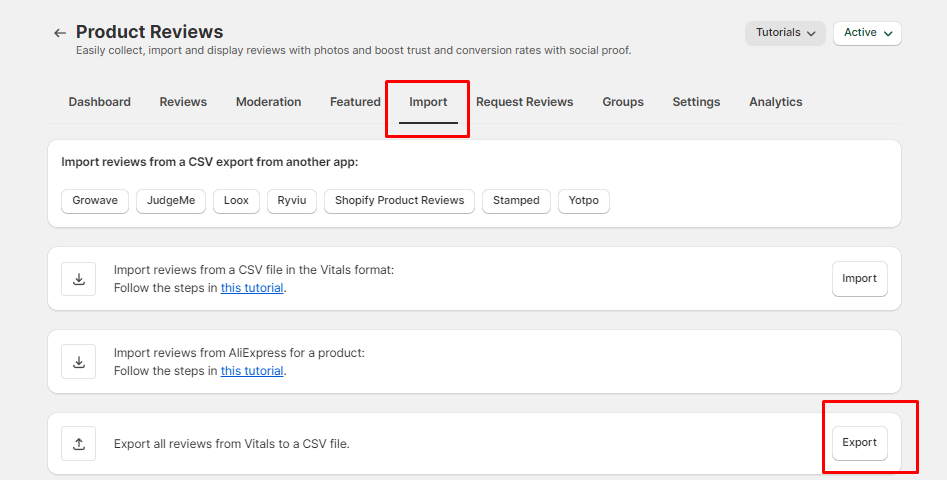
Once you click the Export button, you will receive the CSV file containing all your product reviews by email - it will be sent automatically to the email address associated with your store.